Website maintenance is the easiest line on a budget to defend cutting. The site is up, nothing is obviously broken, and the invoice arrives every month regardless.
That reasoning holds right up until it does not. Maintenance is insurance against a category of problem that gives no warning: a plugin update that breaks checkout, a certificate that expires on a Saturday, a version of PHP that stops being supported, a backup nobody tested that turns out not to restore.
This piece explains what website maintenance actually covers, what varies between a real plan and a cheap one, and how to work out what you need rather than what a template retainer offers. As with our other cost pieces there are no figures here. What a plan should cost depends entirely on what is in it, and comparing monthly amounts without comparing scope is how businesses end up paying for nothing.
What maintenance actually means
The word covers four different jobs, and most disputes come from a client and an agency having different ones in mind.
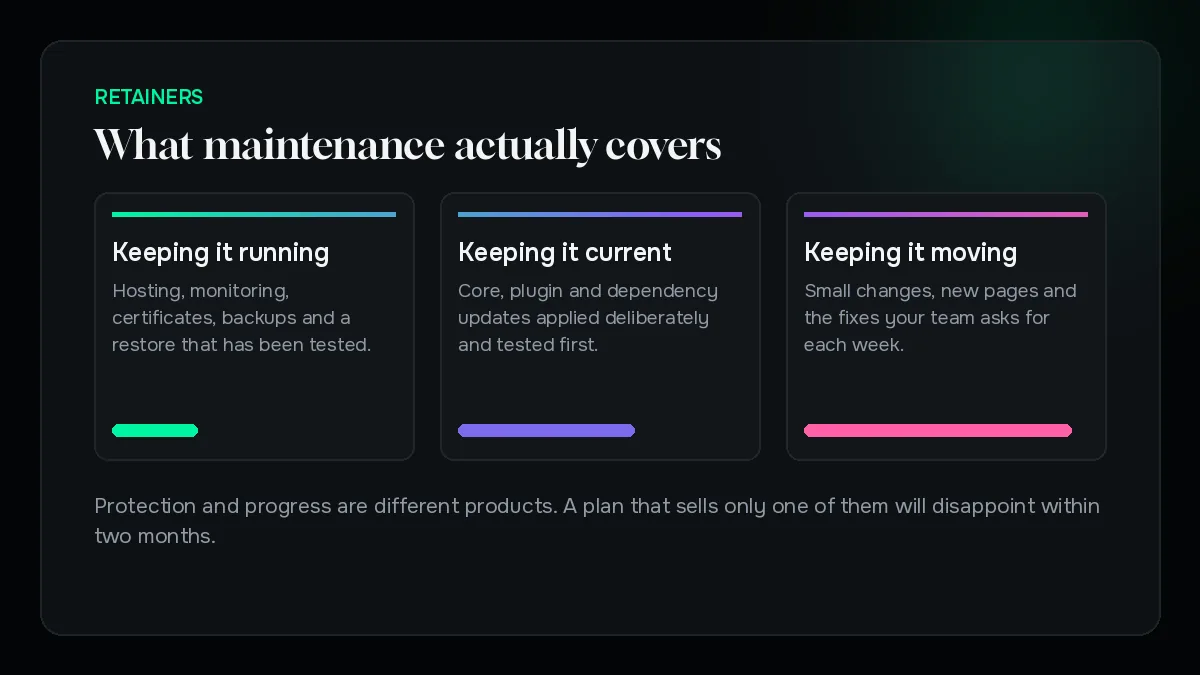
Keeping it running. Hosting, uptime monitoring, certificates, backups, and restoring quickly when something fails.
Keeping it current. Core, plugin, theme and dependency updates, applied deliberately and tested rather than automatically at three in the morning.
Keeping it safe. Patching known vulnerabilities, watching for unusual activity, and hardening the parts that get attacked.
Keeping it moving. Small changes, new pages, content updates, and fixing the things that annoy your team every week.
The first three are protection. The fourth is progress. A plan that only sells you the fourth is a change budget wearing a maintenance label, and a plan that only sells the first three will frustrate everyone within two months.
What is actually on a maintenance invoice
Ask any provider to break their plan into these lines. A good one already has.
Hosting and infrastructure. Sometimes included, often billed separately, occasionally marked up.
Monitoring. Uptime, and ideally performance and error tracking as well.
Backups. Frequency, retention, where they are stored, and how often a restore is actually tested.
Updates. On what cadence, tested where, and what happens when one breaks something.
Security. Scanning, patching, and the response if the site is compromised.
Support hours. How many, what counts, and whether unused hours carry over.
Reporting. What you receive, and how often.
The most common gap is the restore test. Plenty of plans include backups. Far fewer have ever proved that a backup restores, which is the only property of a backup that matters.
The platform changes what it costs
Not all sites need the same attention, and the difference is structural rather than a matter of size.
WordPress and WooCommerce need the most. An active plugin ecosystem is the reason they are flexible and also the reason they need watching. Every plugin is code from a third party with its own release schedule and its own security history.
Hosted platforms need less. On Shopify the platform maintains itself, so the work shifts to apps, theme updates and integrations rather than the core.
Custom applications sit in between. Fewer moving parts from outside, but the dependencies still age and nobody else is going to update them for you.
A quote that charges the same for a brochure site and a transactional store has not looked at either of them.
What breaks when you skip it
Neglect does not produce a steady decline. It produces nothing at all for a long time, then a single expensive event.
The compromise. Almost always through a known vulnerability in an out-of-date component, months after a patch existed. Cleaning up costs more than years of updates, and search engines may flag the site while you do it.
The version wall. Skip updates long enough and they can no longer be applied one at a time. What was routine becomes a project.
The silent failure. A contact form that stopped sending, a payment webhook that stopped firing. Nobody notices until someone asks why enquiries dried up.
Each of these is cheap to prevent and disproportionately expensive to fix. That asymmetry is the entire argument for maintenance, and it is a stronger one than any feature list.
Support hours, and what actually counts
Most disagreements about a retainer are about this section rather than the technical work.
Ask what a request means. Does a five-minute text change consume a fifteen-minute minimum. Does thinking time count. Does a phone call.
Ask what happens to unused hours. Some plans roll them over, most do not. Neither is wrong, but you should know which you are buying.
Ask what falls outside. New features, new templates and design work normally sit outside a maintenance agreement, and reasonably so. What matters is that the boundary is written down before the first argument rather than after it.
Clarity here is worth more than a slightly larger allocation of hours. Ambiguity is what turns a working relationship into a monthly negotiation.
Response time is the expensive variable
Two plans with identical task lists can differ substantially, and response commitment is usually the reason.
Someone answering within the hour, at a weekend, for a store that takes orders around the clock, is a different service from someone answering on the next working day. The second is perfectly adequate for a brochure site and completely inadequate for a business that stops earning when the site stops working.
Work out what an hour of downtime actually costs you, in orders or enquiries. That number, which you can calculate and an agency cannot, tells you which response tier you should be buying. Most businesses either overpay for a commitment they do not need or underpay for one they very much do.
In-house, freelance or agency
All three work. They fail in different ways, which is the useful thing to know.
In-house. Fastest response and best context, provided the person stays and has time. The risk is concentration: when everything lives with one person, their notice period is your exposure.
Freelance. Often excellent value and genuinely personal. The risk is availability — illness, holidays, and other clients with louder emergencies.
Agency. Cover, process and someone else worrying about backups. The risk is distance: you may not get the person who built the site, and context is lost between tickets.
Whichever you choose, insist on one thing. Everything must be documented somewhere you control, and every credential must be in your name. That single condition makes all three arrangements survivable.
What a good plan reports
Maintenance is invisible by nature, which makes reporting the only evidence you have that anything happened.
A monthly note should tell you what was updated, what broke and was fixed, what was flagged and left alone deliberately, and how the site performed. It does not need to be long. It needs to exist.
The warning sign is silence. A provider who bills every month and reports nothing is either doing the work invisibly or not doing it. From the outside those two look identical until something fails, at which point you find out which one you were paying for.
Ask for an example report before signing. If none exists, that is the answer.
How to compare two plans honestly
Put both on one page and line them up on five things.
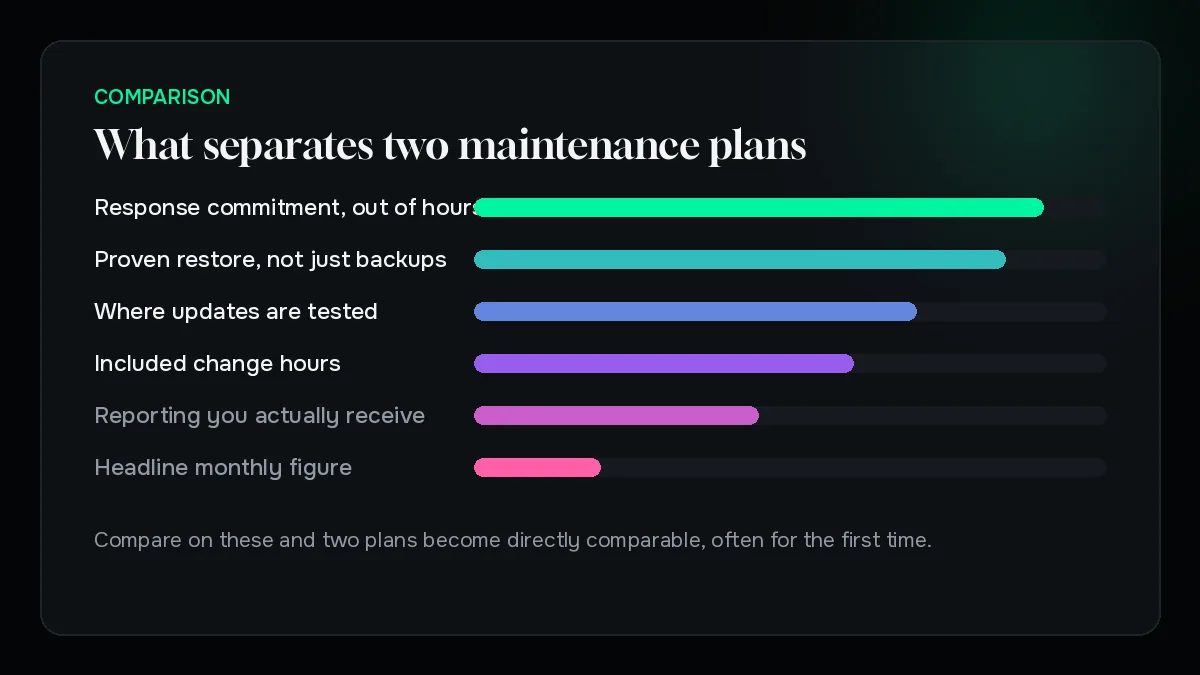
Backup frequency and proven restore. Not backups. Restores.
Update cadence and where updates are tested. Staging, or straight onto the live site.
Response commitment, including out of hours. Compared against what downtime actually costs you.
What counts as included work, in plain terms.
What you own and how you leave. Credentials, code, backups and documentation.
If one plan looks much cheaper after that comparison, it usually is cheaper for a reason you can now see. Occasionally it is simply better value, and the comparison shows that too.
What we would cut, in order
If maintenance has to fit a smaller budget, reduce it in this order.
Cut the response commitment first. Move from same-hour to next-working-day if your site is not transactional. This is the largest saving with the least risk.
Cut the included change hours. Keep protection, buy improvement work separately when you actually need it.
Cut reporting frequency. Quarterly instead of monthly, as long as it still happens.
Do not cut backups, updates or monitoring. Those three are the entire reason the arrangement exists. A plan without them is not a cheaper plan, it is a different product that happens to share the name.
What it comes down to
Website maintenance cost is decided by four things: what platform you are on, how quickly you need someone to answer, how much change work is bundled in, and whether the plan includes hosting.
Everything else is presentation. Compare on those four and two plans become directly comparable, often for the first time.
The question worth asking yourself is not what maintenance costs. It is what an unplanned week offline would cost, and whether the difference between two plans is smaller than that. For most businesses that comparison settles it quickly.
If you have a plan in front of you and want a second opinion on what it does and does not cover, send it across. We will read it and tell you plainly whether it is fair.

Written by
Founder, Syscodes
Founder and CEO of Syscodes Infosystems Pvt. Ltd., the Kolkata studio he started in 2020. He writes about platform choices, migrations, conversion research and MVP scoping.