WordPress quotes vary more than quotes for almost any other kind of website, and the reason is straightforward once you see it.
WordPress is not one product either. It is a theme configured in a week, and it is a content system with custom post types, custom fields and templates drawn from scratch. Both are honestly described as a WordPress website. They are not the same purchase.
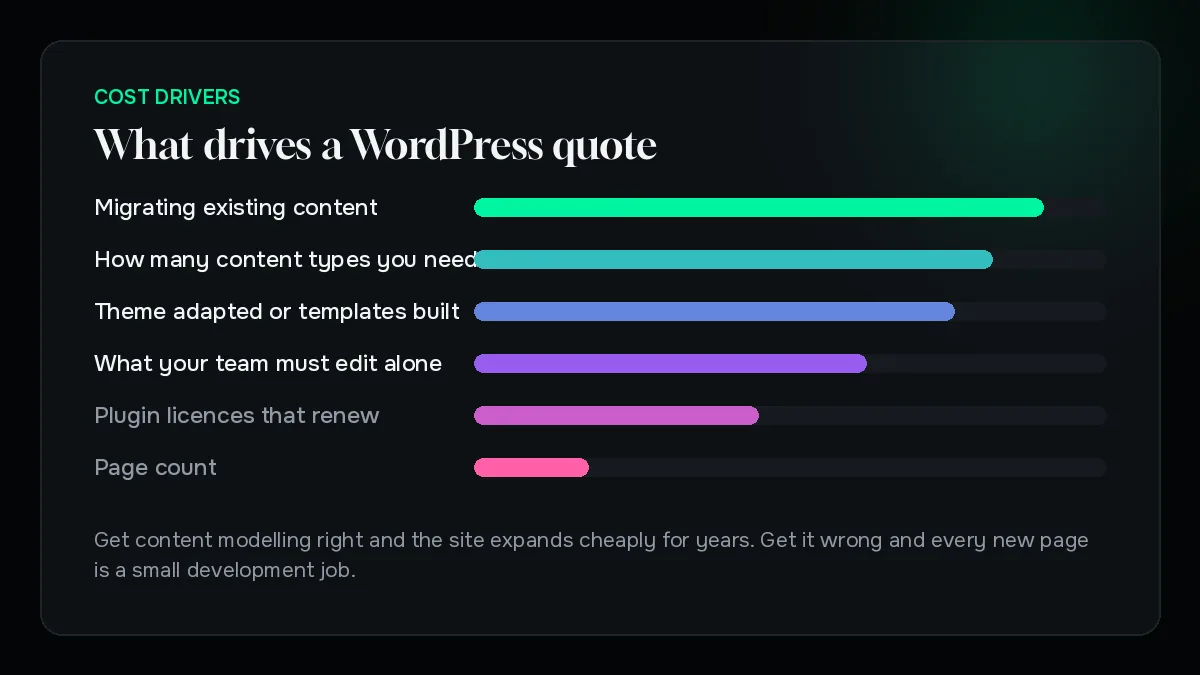
This piece sets out what actually moves the number: whether a theme is being adapted or templates are being built, how many content types the site genuinely needs, how much your own team must be able to edit without help, and what has to be migrated from an existing site. No figures, deliberately — the same brief can be answered three legitimate ways and only one of them may be right for you.
Theme, adapted theme, or custom build
Almost all WordPress cost variation comes down to which of these three you are actually buying.
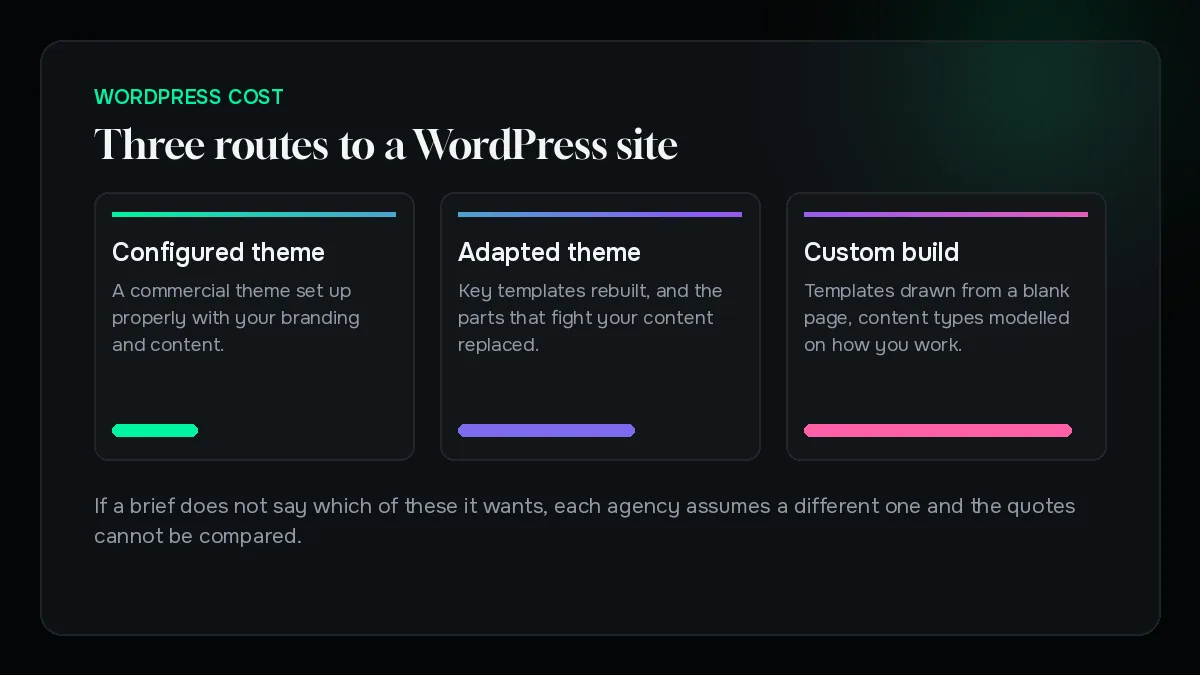
A configured theme. A good commercial theme, set up properly, with your branding and content. Fast, sensible, and the right answer for many businesses who need a credible site and want to spend their budget elsewhere.
An adapted theme. The theme stays, but key templates are rebuilt and the parts that fight your content are replaced. A middle path that captures most of the benefit of custom work at a fraction of the effort.
A custom build. Templates drawn from a blank page against a design, with content types modelled around how your business actually works.
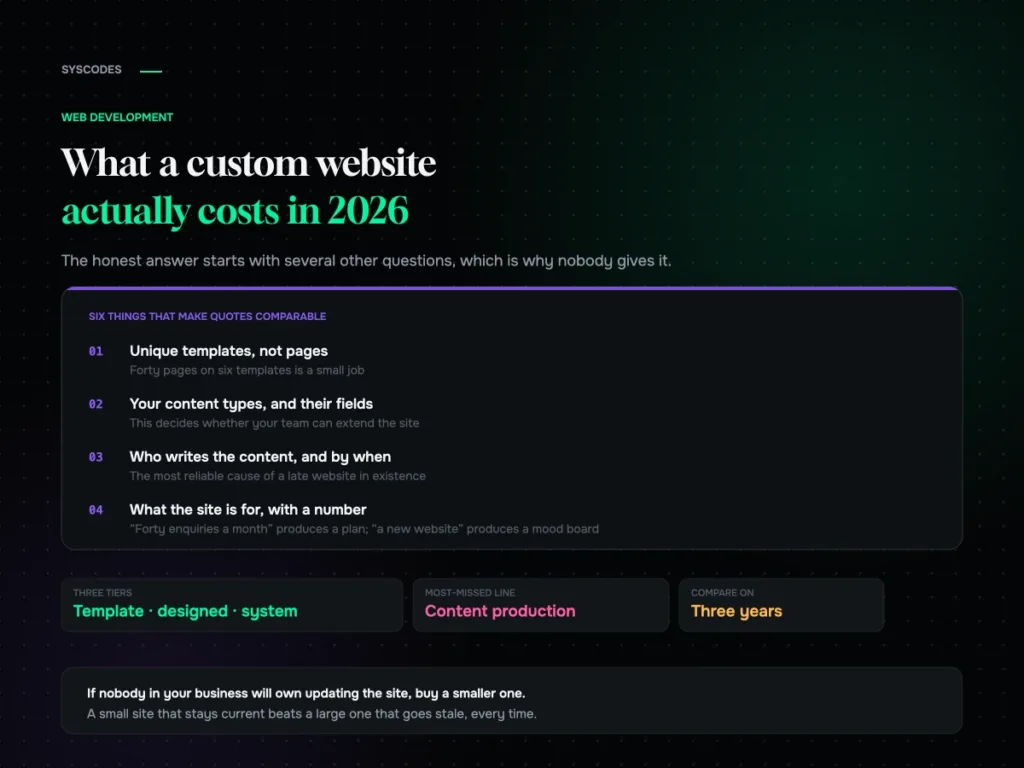
If a brief does not say which of these it wants, agencies will each assume a different one, and you will receive three quotes that cannot be compared.
What is actually on the invoice
A WordPress quote should break down roughly like this, whichever route you take.
Discovery and content modelling. What types of content exist and how they relate. Skipping it is the main reason WordPress sites become unmanageable later.
Design. Either theme selection and configuration, or real design work.
Build. Templates, fields, and any custom functionality.
Content migration. Usually the largest line if a site already exists.
Plugins and licences. Some are one-off, most renew annually.
Testing and launch. Across browsers and devices, plus redirects.
Training. Half a day that saves your team months of confusion, and one of the most reliably worthwhile lines on any quote.
Content modelling is the hidden cost driver
This is the part buyers never ask about and always feel the consequences of.
Every distinct type of content — a service, a case study, a team member, a location, a product — needs deciding: what fields it has, how it is edited, where it appears, and how it relates to everything else.
Get it right and the site expands cheaply for years. Adding a fortieth service page is a form your team fills in.
Get it wrong and every new page is a small development job. This is the most common reason a two-year-old WordPress site feels expensive to run despite having been cheap to build.
The test is simple. Ask an agency how your team will add a new service page in a year. If the answer involves a developer, the model is wrong.
Plugins: the cost that arrives every year
Plugins make WordPress powerful and they make its true cost harder to see.
Licences renew. Forms, backups, security, SEO, page builders and commerce extensions mostly bill annually. A build can look inexpensive and carry a recurring tail nobody itemised.
Every plugin is a dependency. Third-party code with its own update schedule and its own security record. A site running dozens of them needs more maintenance than one running a handful, permanently.
Some plugins are load-bearing. If your entire content model depends on one, understand its licensing before you commit.
Ask for the plugin list with the quote, with which are free, which are paid, and what renews. A good agency has that list already and will hand it over without hesitation.
Page builders, and when they earn their place
Page builders divide opinion more than they need to. The honest position is that they are a trade.
What you gain. Your marketing team can build and change pages without a developer. For a business that publishes often, that independence is worth a great deal and pays for itself repeatedly.
What you give up. Some performance, some control, and a degree of lock-in. Pages built in one builder do not move to another without being rebuilt.
The deciding question is who edits the site. If your team publishes weekly, a builder used carefully is the correct choice. If the site changes twice a year and is maintained by developers, the trade rarely makes sense.
A builder used carelessly — nested containers, unnecessary widgets, no component discipline — is where the performance complaints come from, not the builder itself.
Migration is usually the biggest line
If a site already exists, moving it is frequently larger than building the new one.
What has to move. Pages, posts, images, forms, users, and every URL currently earning traffic.
What is genuinely difficult. Content that was hand-built page by page rather than structured. It cannot be moved automatically because there is no structure to map, so someone rebuilds each page.
What decides whether traffic survives. The redirect map, as always.
Two questions to ask before quotes arrive. How many pages actually need to move — usually far fewer than exist. And is the current content structured or hand-built. The answers can change a migration estimate substantially in either direction.
Hosting, and why the cheapest is expensive
WordPress runs on almost anything, which is why so much of it runs badly.
Shared hosting at the bottom of the market is genuinely cheap and genuinely slow, and speed affects both conversion and search visibility. It is the one place where a small monthly saving reliably costs more than it saves.
What actually matters. Adequate resources for your traffic, server-level caching, a staging environment, and automatic backups. A staging site in particular is not a luxury — it is where updates get tested before they reach customers.
Decide whether hosting is inside or outside the quote before comparing prices. Two proposals are not comparable if one includes managed hosting and the other assumes you will arrange it.
How to brief so quotes are comparable
Four things in a brief remove most of the spread between WordPress quotes.
Say which route you want. Configured theme, adapted theme, or custom. If unsure, ask each agency to quote the cheapest option they would be willing to put their name to.
List your content types. Services, case studies, locations, team, events. This single list drives most of the build.
Say who edits the site, and how often. It settles the page builder question and the training line.
Say what exists. Current site and platform, page count, brand assets, copy, photography.
Five questions that separate a good quote from a cheap one
What is not included? Always the most informative question.
How does my team add a new page in a year? The answer reveals the content model instantly.
Which plugins, and what renews annually? Ask for the list before signing, not after.
Is there a staging site, and are updates tested there? If not, updates are being tested on your customers.
What do we own, and how do we leave? Hosting account, domain, repository, licences. All should be in your name.
What we would cut, in order
If a WordPress build has to fit a smaller budget, reduce it in this order.
Cut custom design on secondary pages. Custom work belongs on the templates that carry traffic and enquiries.
Cut page count. Most sites launch with more pages than anyone reads. Fewer, better ones cost less and perform better.
Cut the migration scope. Move what earns traffic, archive the rest. This is often the single largest saving available.
Do not cut content modelling, training or the staging environment. The first two decide whether you can run the site yourself. The third decides whether an update can take the site down.
What it comes down to
A WordPress website costs what it costs because of four decisions: whether a theme is being adapted or templates built, how many content types the site genuinely needs, how much your team must be able to edit alone, and how much existing content has to come across.
Page count barely matters. Nor does the platform itself, which is free. An agency that starts by asking about your content types and who edits the site is scoping properly. One that asks how many pages you want is not.
If you have a quote and want to know what it is really proposing, send it over. We will tell you which of the three builds it describes, which is usually the thing the quote itself leaves unsaid.

Written by
Founder, Syscodes
Founder and CEO of Syscodes Infosystems Pvt. Ltd., the Kolkata studio he started in 2020. He writes about platform choices, migrations, conversion research and MVP scoping.